Giving Students a Voice: Tech Tip

Wednesday, October 30, 2019 No comments
Bitmoji Image
Hello everyone! As I work throughout the district I have had a bunch of questions about helping our students get more practice recording their voices. Since so many students take the ACCESS test, practicing recording their voices not only helps with preparing them for the test, but also enhances their speaking skills.


If you work with littles, one easy way to get them speaking is Chatterpix. Chatterpix can be used on the iPads and Chromebooks. Students take or upload a picture and then use their finger to cut a "mouth" into their picture. They then can record their voices!


This is awesome for describing a character, retelling a story with beginning, middle, and end, or even explaining their thinking on a math problem. The videos can be saved to the device and then imported into their Google drive accounts!

Free Read Aloud Books

Monday, September 23, 2019 No comments
peacefully reading


So I just found another awesome tool to add to your elementary school classroom: Vooks! Vooks has classic and popular story titles done as a read aloud. This would be awesome to support a class wide guided reading or to be a literacy station during reading groups. Some of my kindergarten teachers are using this during their student's technology center during center time!


The best part is teachers get a whole year free!!!!!

We're Back! Quick Chrome

Tuesday, August 20, 2019 No comments


Bitmoji Image
Image result for chrome pngWe are back... or at least we'll be back soon! To start us off, I wanted to give you some quick tips on how to maximize your Chrome Browser.

My first tip is how to "pin" tabs that you use often. When I open up my browser, I like to pin my mail, Drive, Aspen X2, and calendar so that they are easy to access and can't be accidentally closed. I made a little tutorial video to help....


Happy back to school everyone!

Novel Effect to Bring Classroom Read Alouds to a Whole Other Level!!!

Friday, June 21, 2019 No comments


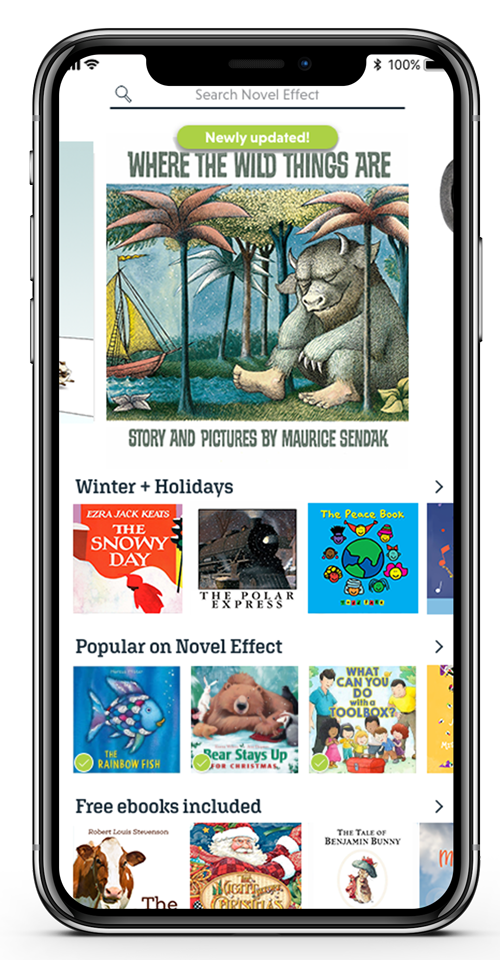
OMG! I’m really excited about this new find! The app, which is available for iOS and Android, has a library full of books. It actually has a great range of newer books and classics. Once you have found the book you want to read, download it, grab your physical copy, push play and start to read. Novel effect follows along with your voice and adds background sound, music, and dialogue to your read aloud! Amazing!


One of my FAVORITE Chrome extensions is Talk and Comment. It allows you to insert audio comments into Google Docs and Slides. It is amazing to give audio feedback to students! Studies show feedback is least effective when written down. Imagine the personalization you can add by giving feedback orally!


If you are interested in more tools to help students to succeed, click on over here and check out my database!

Flip A Coin: Google Tools for Quick Game Play

Click below to watch a video!


Pomodoro Timer

Image result for pomodoro timer


Need a timer for your classroom that keeps your kiddos (and maybe yourself      on task?). Try a Pomodoro Timer! It is based on the Pomodoro Technique. A Pomodoro Timer allows you to set increments for time on task and then earned “free time”. It is great for kiddos with executive functioning struggles and adults like me how multitask too much!!! You can get them as a website, app for a phone or tablet, or a Chrome extension.


I've Got a Video For That!